
Improving Your Team’s Communication In The Age Of Remote Work

Products are not built in isolation. A big part of our professional lives is spent discussing, brainstorming, and deciding alongside others. No matter our field of expertise we need our team’s knowledge to amplify our own.
With the rise of remote work, we’re communicating more and more in written instead of spoken form and teams need to adapt. If communication fails, everything else fails too.
Why Is In-Person Communication So Effective But Also So Messy?
When we talk with others in person we receive a lot of information. We can read the room to acknowledge unspoken agreements, alliances, tensions, and the overall mood of everyone, and react accordingly. We do this almost unconsciously, making face-to-face communication more effective.
However, the same reason also makes it messy. If someone is having a bad day, we might see it as a sign of tension or lack of investment in the project. For outsiders, lacking an understanding of the complex dynamics of a team can lead to the wrong conclusions.

A downside of office work is how easily information silos are created. Having colleagues next to us makes it easier to ask for help by tapping on their shoulder than to create documentation and rely on it. This creates information disparity, where a few individuals hold critical knowledge. Is everyone in your team relying on a single person’s knowledge? Or is knowledge safely stored in software instead?
I’ve been there before. I used to work on an over-engineered product where only one person fully understood it. We relied on him to get tricky tasks done. We were “too busy to document it” and instead spent the better part of a year slowly refactoring it. Instead, we should’ve taken the time to document how it worked and then done a workshop for everyone to catch up. It would’ve made us more productive, eased the refactoring and our time working with the product.
Changing Our Mindset: Remote Work Is Not An Online Office
Becoming a productive remote team requires a change of mindset: defaulting to asynchronous instead of synchronous collaboration. This allows people to focus on what matters by decreasing distractions and prevents a culture of “always online” which is an adaptation of tap-on-the-shoulder communication to chat and email.
Allow Yourself Some Deep Work
Research has shown that we need from 15 to 30 minutes of focusing on a task before we’re fully immersed in it and are able to do meaningful work. The worst part is that every time we’re interrupted we’ll need to start over. A tap on the shoulder, call, or notification can break our focus. Being “in the zone” makes us more productive by letting our minds solve one hard problem at a time, instead of multitasking, which we’re terrible at. This has been dubbed “Deep Work”.
Achieving deep work should be our goal in any team, but doing it in an office setting can be challenging because of so many distractions. Asynchronous communication in a remote setting is perfect for it.
Once you’re not required to be always-online, the opportunity to do meaningful work will drastically increase, but your ability to get help will get slower, so how can we get the best of both worlds?
Documentation As A First-Class Citizen
Working groups form a network of knowledge, where each individual will have unique information that is accessible by everyone. As we share information among us, we form an institutional memory that makes the team more productive, but can also hinder us.

If you find a solution to a hard problem, others can ask for your help when facing it. But what happens if someone needs your knowledge in two weeks when you’re on holiday? The solution is to offload it onto software that is always accessible, and to foster an environment where everyone sees the value of documentation as a first-class citizen. However, it’s easier said than done.
Asking someone at the office to create documentation, although logical, might be ignored since everyone is nearby and ready to help. But remote teams appreciate being self-reliant when facing issues.
The bigger the team, the harder communication gets, and having a central repository of knowledge helps to tame complexity. By making documentation the default instead of an afterthought, you’re improving your institutional memory, which makes critical information accessible by anyone, anytime, anywhere.

What should you document? Solutions to thorny problems, outages and their causes, onboarding, new tech or tools introduced, fruitful and unfruitful discoveries. It’s all valuable information that should be accessible.
For example, when I joined a remote-first company my manager assigned me a Notion document with goals for the first two weeks. The first week was about reading our “Engineering Documentation”, which explains most of our tech stack and how to set it up locally. The second week I had to do my first task, which also had everything documented: requirements, deliverables, stakeholders. It was by far the best onboarding I’ve had.
Private communication hurts remote teams. Because of it, knowledge and information are not shared equally, and no matter how trivial a discussion is, others might benefit from it. For your remote team to communicate effectively, doing it in public is an important step.
Keeping communication private is similar to not having documentation. You’re storing information in your head and nowhere else. This fosters information silos, decreasing productivity as a result.
Some topics will be sensitive enough to warrant private communication though, such as health or workplace issues, but if you’re collaborating privately consider your motivations and try to switch to public instead.
Public communication in an office is difficult because you can’t interrupt everyone all the time to share something, and it’s a good reason why agile processes such as daily stand-ups exist. But with asynchronous collaboration, everyone will read through the announcements in the team channel whenever they can. Daily standups can either be ditched or become a time to socialize instead.
In companies where communication happens in private, changing to a public mindset can be challenging, but the benefits are worth it. Some tips to facilitate the move is to have clearly defined channels for different topics in your chat app. That way everyone knows where to ask questions and have discussions. Making everyone aware that the team should communicate in public is important too.
But beware, too many channels (private or public) can hurt productivity since everyone spends more time deciding where to communicate rather than how. Only have as many channels as you really need, only invite the necessary people to them, and understand that it’s OK to mute unimportant channels.
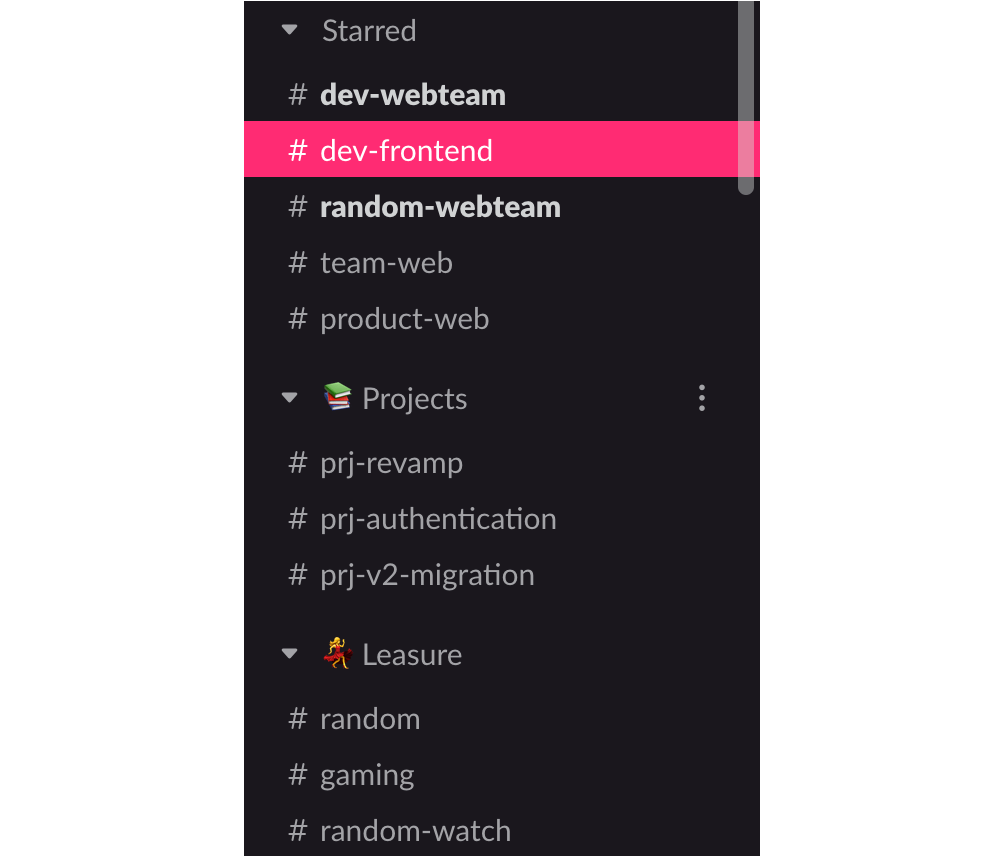
When everything happens in public your team is more interconnected and it facilitates leading by example since everyone rises to the challenge of being better.
The Rules For Effective Communication
Expressing one’s ideas effectively is hard, but by following some rules we can dramatically improve how useful each message we send is.
Every Message Is Actionable, Asks A Question, Or Informs, And Has Context
From the perennial “let’s go for a tea/coffee” to the famous water cooler brainstorming session, in-person communication is riddled with traditions. We use these traditions to simplify complex collaboration.
We’re still figuring out the best habits to help us communicate online, but some great rules to follow is to make every message we send actionable, a question, or informative, and to include its context.
Now, let’s break down the rules.
Actionable Messages
With actionable messages, there’s something to be done. A ticket can be created, a solution provided, or a discussion had.
Compare a non-actionable message with little context:
“I clicked the subscribe button and a modal showed up.”
With an actionable one:
“On the products page, I clicked the ‘Subscribe’ button and a modal opened. But I should’ve been redirected to the subscribe page instead. Are we aware of it?”
In this case, either the behavior is wrong, or the specification is out of date and there’s a clear action: A ticket can be created or the documentation updated.
Your Message Asks A Question
A good question explains the why behind the question and provides context. The trick is to maximize the chances of someone understanding your problem right away by explaining it as clearly as possible. If you’re asking for help with a problem, highlight what you’ve tried so far and If you haven’t tried to solve it yet, try first.
Compare an unclear question with no context, reason, or attempts:
“Does anyone know how to render a modal with React Router?”
With a clear one:
“I need to show a modal with our newsletter when a button is clicked, but I’m not managing to do it with React Router. I tried using a <Link to="/modal" /> but it redirects to a page instead of opening the modal in-place. Can someone help?”Informative Messages
A good informative message is self-contained. You don’t need a lot of prior knowledge to understand it and its value.
Here’s an informative but unclear message:
“We reached an all-time high of users today!”
And here’s a self-contained one that has context:
“We reached 10k concurrent users today on the site, an all-time high! That’s a 25% increase from last month.”
Add Context To Your Message
If you noticed, all rules mentioned context. Adding a message’s context has an anchoring effect, helping the reader better understand the rest of the information.
Here are the same messages as above but with context struckthrough. Notice how much better they are if they contain it:
“On the products page,I clicked the ‘Subscribe’ button, and a modal opened. But I should’ve been redirected to the subscribe page instead. Are we aware of it?”
“I need to show a modalwith our newsletter when a button is clicked, but I’m not managing to do it with React Router.I tried using aCan someone help?”<Link to="/modal" />but it redirects to a page instead of opening the modal in-place.
“We reached 10k concurrent users today on the site, an all-time high!That’s a 25% increase from last month”.
Chat, Documentation, Video, Product Management: Where Does It All Fit?
Would you send an email to a colleague sitting next to you, asking if they’d like to go for a coffee? Probably not. You can be more productive by using your tools as they were intended to be used, and a remote team needs many of them to collaborate effectively. Let’s see how to best use each type.
Media: An Image Is Worth A Thousand Words
Adding an image to a bug report, a video to a feature announcement, or an emoji to a celebratory message can make all the difference between understanding and confusion. Using media helps to explain visually what is hard to describe.

There are great tools for creating editable screenshots or videos to enhance your messages: CloudApp, Gyazo, and the default OS screenshot app are some options I’ve been happy with.
Many services allow you to use emojis for collaboration such as Jira or GitHub. For example, a thumbs up

Advertising by Adpathway







;)